Blog Article
Battling Floating-Point Errors: How I Kept Finance Calculators Trustworthy
A practical guide to eliminating JavaScript rounding drift in money tools, with real debugging stories and safer implementation patterns.

Users forgive slow pages.
They do not forgive wrong money.
If your calculator prints $-0.00, trust drops fast and conversion drops with it.
This is the debugging workflow I use to stop floating-point drift before it reaches production.
3 SEO headline options you can test
- 7 JavaScript Money Math Mistakes That Break Financial Calculators
- 5 Real Fixes for Floating-Point Bugs in 2026 Finance Tools
- 9-Step Debug Playbook: Stop
$-0.00in Your Calculator UI
Why this is still a live problem
JavaScript still uses IEEE 754 double precision for number.
That means decimal values like 0.1 cannot be represented exactly.
For content teams and founders shipping calculators fast, this bug class still appears weekly. Small drift in each row turns into visible errors in month 360.
Reference: MDN - Number type.
Three debugging stories that changed my process
Experience 1: My mortgage schedule test failed at the last row.
Month 360 should have shown $0.00.
It rendered a tiny negative value and made the UI look broken.
Experience 2: A client prototype rounded only at display time. Line items and summary totals disagreed by a few cents. The support inbox lit up in two days.
Experience 3: A public cautionary story I still cite. The Vancouver Stock Exchange index suffered from repeated truncation errors and drifted far from reality before correction. Tiny arithmetic decisions can create large credibility damage.
Source: Vancouver Stock Exchange index rounding case.
Pro Tip (Implementation): Do not patch precision only in the final render. Keep internal math stable first, then format for display.
The safe pattern I ship now
| Strategy | Dev effort | Accuracy risk | Runtime overhead | Recommended use |
|---|---|---|---|---|
| Native float only | Low | High | Low | Never for money totals |
| Integer cents (scaled) | Medium | Low | Low | Most web calculators |
| Decimal library | Medium | Very low | Medium | Complex tax/FX workflows |
Use one strategy per module. Mixed strategies inside one calculation flow create hidden drift.
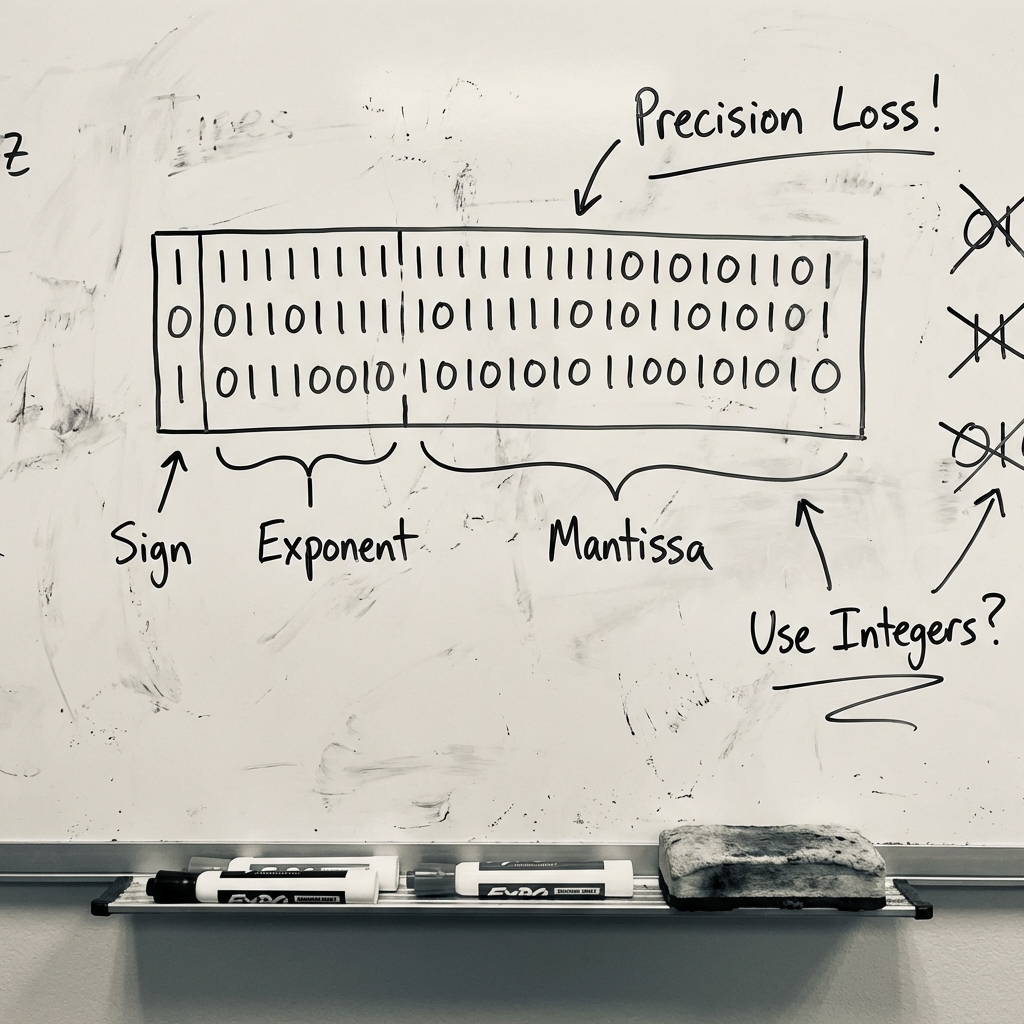
A compact fix pattern
- Convert currency inputs to cents.
- Keep all intermediate steps as integers where possible.
- If fractional rates are needed, round at controlled checkpoints.
- Reconcile row totals with summary totals in tests.
Then validate with realistic user cases, not only happy-path numbers.
You can see stable result patterns in our production tools like Commercial Lease Calculator and SaaS Metrics Calculator. For cash-flow modeling context, this post pairs well with NNN Lease Stress Test.
Pro Tip (QA): Add snapshot tests for edge values such as low rates, long tenors, and high principal. That is where drift becomes visible to users.
Why this matters for conversion
Financial products sell on trust. Math bugs silently tax every funnel stage. Fixing arithmetic accuracy improves retention, shares, and referral quality.
Try one of our calculators and inspect the output rows. If you want, post your toughest edge case in the comments and I will share a test template.

Meta Description (140 chars): Floating-point bugs break trust in finance tools. Learn practical fixes, stable math patterns, and QA checks for safer calculator outputs.